About the Mobile App
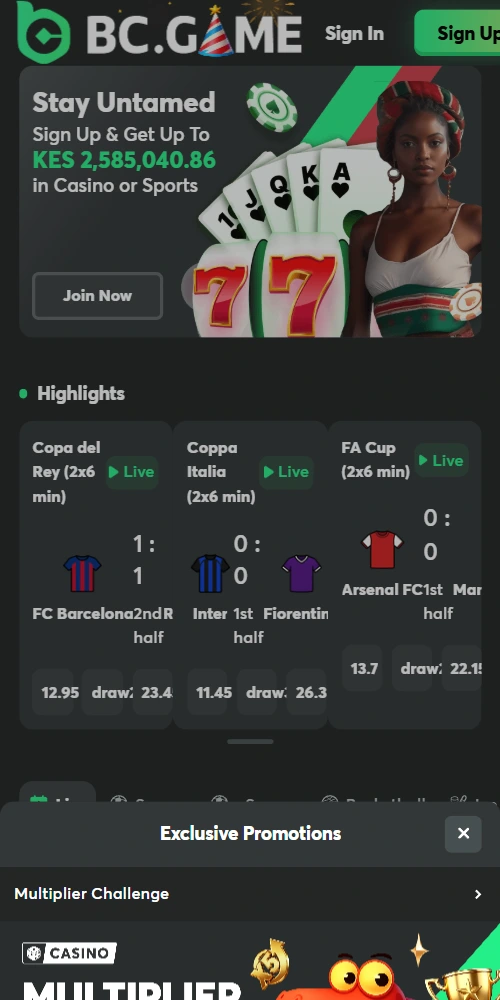
BC Game Kenya's native mobile applications bring the complete platform experience to Android and iOS devices. Built specifically for the Kenyan market, both apps support M-Pesa integration, cryptocurrency wallets, and optimized data usage for 3G/4G networks common across the country. You get identical functionality to the desktop site—registration, KYC submission, deposits, betting, casino play, and withdrawals—all from your phone.
The apps use compressed assets and efficient caching to minimize data consumption, which matters when you're playing on mobile data rather than Wi-Fi. Push notifications keep you updated on bet settlements, bonus offers, and account activity without needing to keep the app open constantly.
| App Name |
BC Game Kenya |
| Supported Platforms |
Android 5.0+, iOS 11.0+ |
| File Size |
Android: 45 MB, iOS: 52 MB |
| Installation Method |
Android: APK direct download, iOS: App Store |
| Languages |
English, Swahili |
| Payment Methods |
M-Pesa, Cryptocurrency, Bank Transfer, Cards |
| Data Usage |
Approximately 15-25 MB per hour of active use |
| Offline Features |
Bet history viewing, account balance check |
| Updates |
Automatic (iOS), Manual notification (Android) |
How to Download for Android
Android installation requires downloading the APK file directly since Google Play Store doesn't list real-money gambling apps in most regions including Kenya. The process takes 3-5 minutes; basically you're installing from outside the official store which Android allows after adjusting one security setting.
First, visit the BC Game Kenya website from your Android phone's browser (Chrome or Firefox work best). Navigate to the mobile app section or punch the download link provided via customer support. Tap "Download Android App" and the APK file begins downloading—you'll see progress in your notification bar. File size is roughly 45 MB so ensure you have stable connection.
Before installing, go to your phone's Settings → Security → Unknown Sources and enable "Allow installation from unknown sources" or specifically allow your browser to install apps. This is standard for APK installations and doesn't compromise your device security when downloading from legitimate sources. Once enabled, open your Downloads folder, tap the BC Game Kenya APK file, and hit "Install". The app installs within 30-60 seconds.
After installation you can disable Unknown Sources again if preferred. Launch the app, log in with your existing credentials or register a new account directly through the app. First launch might take 15-20 seconds as it loads initial assets and establishes connection.
How to Download for iOS
iOS users can download BC Game Kenya from the Apple App Store if available in the Kenyan store, or through alternative installation methods provided by customer support. The App Store process is straightforward—search "BC Game Kenya" in the App Store, verify it's the official app by checking the developer name (BlockDance Africa Limited), and tap "Get".
You'll need to authenticate with Face ID, Touch ID, or your Apple ID password. The app downloads and installs automatically, appearing on your home screen within 1-2 minutes depending on connection speed. File size is approximately 52 MB. iOS apps update automatically through the App Store unless you've disabled auto-updates.
If the app isn't listed in your regional App Store, contact BC Game Kenya support chat for alternative installation instructions—some operators provide enterprise distribution profiles that allow installation outside the App Store. This is legitimate and doesn't require jailbreaking your device.
📱
One-Tap Betting
Place bets with single taps, access bet slip from any screen, and receive instant confirmation—designed for quick in-play wagering.
💰
M-Pesa Integration
Deposit and withdraw via M-Pesa directly from app, transactions process in 1-3 minutes with push notifications for confirmation.
🔔
Push Notifications
Get alerts for bet settlements, bonus offers, deposit confirmations, and withdrawal updates without keeping app open constantly.
🎰
Full Game Library
Access all 3000+ casino games, live dealer tables, and sports markets—no compromises compared to desktop version.
🔐
Biometric Login
Use fingerprint or face recognition for quick secure access, eliminating need to type password every session.
📊
Data Saver Mode
Reduced graphics quality option cuts data usage by 40% while maintaining full functionality—ideal for expensive mobile data.
System Requirements
For Android devices, you need version 5.0 (Lollipop) or newer with at least 2 GB RAM. Storage space requirement is 100 MB to accommodate the app plus cached data. Most Android phones sold in Kenya since 2016 meet these specifications easily. The app works on both phones and tablets, adapting interface to screen size.
iOS requirements are version 11.0 or later, compatible with iPhone 6 and newer models, all iPad Pro versions, iPad 5th generation onwards, and iPad Mini 4+. You'll need approximately 120 MB free storage for installation and cached content. The app supports both portrait and landscape orientations, automatically adjusting layout.
Network requirements are minimal—3G connection sufficient for basic functionality, though 4G recommended for live betting and live dealer games where real-time data matters. Wi-Fi works best for initial download and app updates to avoid consuming mobile data allowance unnecessarily.
Mobile App vs Browser
App Advantages
- 30-40% faster loading times due to cached assets and optimized code
- Push notifications for bet results and account activity
- Biometric authentication (fingerprint/face ID) for quick secure login
- Offline access to betting history and account balance
- Data saver mode reduces consumption by up to 40%
- Better performance on slower connections (3G networks)
- Home screen icon for instant access without browser navigation
App Disadvantages
- Requires 45-52 MB storage space on device
- Android users must enable Unknown Sources for installation
- Manual update checks needed for Android APK versions
- Initial download consumes data if not on Wi-Fi
App Performance on Kenyan Networks
BC Game Kenya's mobile apps are optimized specifically for the connectivity conditions common across Kenya. On Safaricom 4G networks in Nairobi, Mombasa, and other major cities, the app loads in 2-3 seconds and maintains smooth performance even during peak evening hours when network congestion increases. For users on 3G connections or in rural areas with weaker signals, the data saver mode compresses graphics and reduces animation to maintain usability.
Data consumption averages 15-25 MB per hour of active play, which includes placing bets, checking odds, and spinning slots. Live dealer games consume more—approximately 40-60 MB per hour due to video streaming. If you're concerned about data costs, enable the built-in data saver in app settings and avoid live dealer tables when on mobile data. Download game assets over Wi-Fi before heading out to minimize data usage during actual play.
The app maintains stable connections even when switching between Wi-Fi and mobile data or moving between cell towers. If connection drops during a bet placement, the app queues your action and processes it once connectivity restores—you won't lose placed bets due to temporary signal loss.